· 2 min read
Arabic-first interfaces: right-to-left is more than dir="rtl"
Flipping the direction is the first five percent. The rest is typography, numbers, mixed scripts, icons, motion and copy that was written in Arabic in the first place.

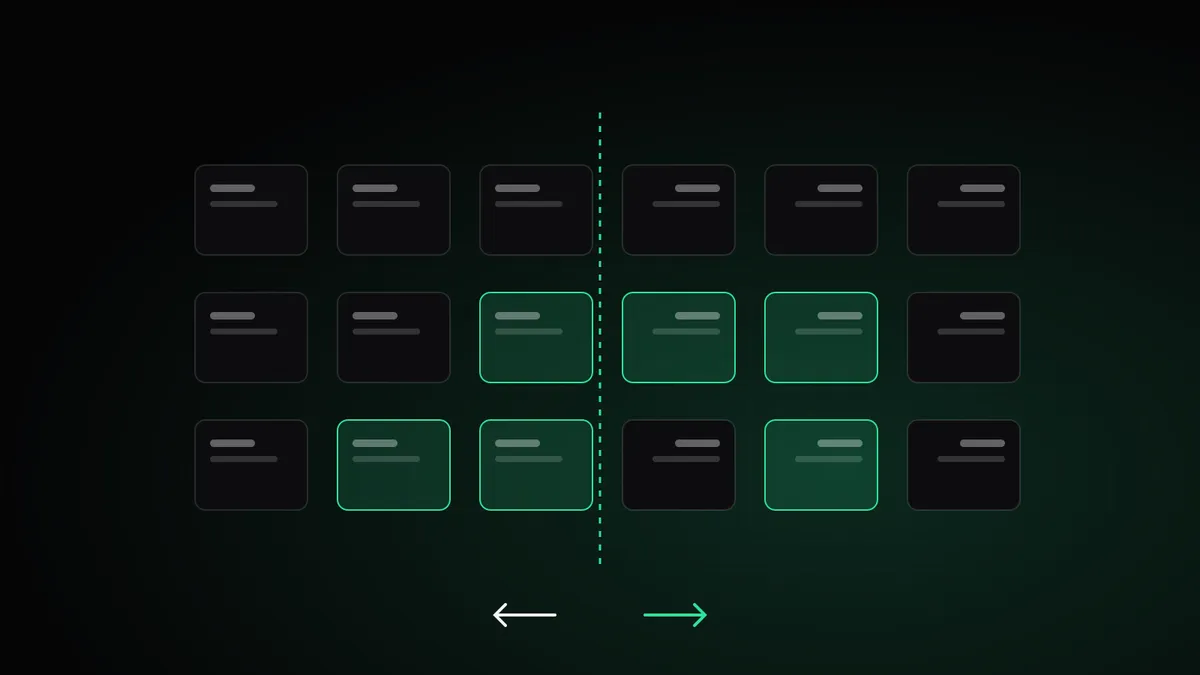
Every site I build is bilingual, and nqrah is Arabic first. Over time I have collected a list of things that break when Arabic is treated as a translation layer instead of a first-class language. Here is the short version.
Use logical properties everywhere
If your CSS says margin-left, it will be wrong in one of your two languages. Logical properties describe intent instead of direction:
.card {
  padding-inline: 24px;        /* left + right */
  margin-inline-start: 12px;   /* left in English, right in Arabic */
  border-inline-start: 2px solid var(--signal);
  text-align: start;
}
Once the whole stylesheet speaks in inline-start and inline-end, switching dir on the <html> element mirrors the layout for free.
Mirror meaning, not everything
Arrows that mean “forward” or “back” must flip. Icons that represent real objects, such as a clock, a play button or a logo, must not. On this site, the heartbeat line in the hero runs from right to left in Arabic and ends in a click on the left, because that is the direction of reading. A chart’s time axis is a harder call; keep it consistent and label it.
Give Arabic its own typography
Arabic letters connect, have taller ascenders and descenders, and look smaller than Latin at the same size. A few rules I follow:
- Never add letter-spacing to Arabic. It breaks the connections between letters.
- Increase line height, usually to around 1.8 for body text.
- Slightly reduce display sizes, because Arabic headlines are visually heavier.
- Pick a family designed for Arabic, such as IBM Plex Sans Arabic, rather than relying on fallback fonts.
Isolate the things that should stay left to right
Mixed text is where bugs hide. A sentence like “أبني منتجات Full-stack بـ Next.js” mixes two directions, and punctuation can jump to the wrong side. Wrap Latin product names, code, emails, URLs and numbers that carry units in an isolated span:
<p>البريد: <bdi>hello@example.com</bdi></p>Use a non-breaking hyphen in words like “Full‑stack” so they don’t split across lines.
Decide on numerals deliberately
Egyptian readers are comfortable with both Western digits (0–9) and Arabic-Indic digits (٠–٩). Pick one per product and stick with it. For dashboards, prices and stats, I use Western digits in both languages so numbers align and can be copied.
Forms are where trust breaks first
- Email, phone and URL fields should be
dir="ltr"even on Arabic pages. - Error messages must be written, not machine-translated.
- Placeholders disappear as soon as the user types; labels should carry the meaning.
Write the Arabic first
The most important rule is not technical. When the audience thinks in Arabic, write the Arabic first and adapt the English from it. Translated Arabic reads like a manual. Native Arabic reads like a person, and people buy from people.
A quick audit
Open your site in Arabic and check: does every arrow point the right way, does any punctuation sit on the wrong side, does any Latin word scramble a sentence, is there letter-spacing on Arabic headings, and does the copy sound like something a person would say out loud? If you fix only those five things, your Arabic users will notice.
Keep reading
· 3 min read
Bilingual websites that sell in the Gulf
Lessons from building sites for an engineering consultancy and two fit-out firms in Abu Dhabi and Dubai: guarantees above the fold, Arabic that isn’t translated, conversations that start on WhatsApp, and teams that run their own sites.

· 3 min read
A budget for every AI call: reserving cost in a multi-tenant SaaS
AI features are priced per token, but merchants are not. Here is the pattern nqrah uses to make sure no store, and no bug, can run up an unbounded bill.

· 2 min read
Why the AI in nqrah never writes code
Atelier designs whole stores from a sentence, but it composes from a library of 31 tested sections instead of generating HTML. That constraint is the feature.